So, you've hit send on a beautifully crafted email campaign, but it feels like you're shouting into the void. Where did it go? Why isn't anyone opening it? Chances are, it’s stuck in the spam folder.
It’s a frustratingly common problem. Getting your emails into the inbox is a delicate dance between your sending practices and the ever-watchful algorithms of inbox providers like Gmail and Outlook. Think of them as the gatekeepers of your audience’s attention.
These gatekeepers are laser-focused on protecting their users from junk mail. They scan every incoming message for dozens of signals to determine if it’s legitimate or just another piece of spam. If they spot any red flags, your email gets a one-way ticket to the junk folder.
Just How Big is the Deliverability Problem?
This isn’t a small-scale issue. Recent stats show the average email deliverability rate sits at just 83.1%. Let that sink in for a moment. That means nearly 17% of all permission-based marketing emails never even make it to the main inbox.
Digging deeper, about 10.5% of those undelivered emails are sent directly to spam, while another 6.4% vanish completely, blocked by the server before they even have a chance. This isn't just a minor annoyance—it's a direct blow to your bottom line. Every lost email is a lost opportunity for a sale and a potential hit to your sender reputation.
To give you a quick overview, here are the usual suspects when emails start going missing.
Top Reasons Your Emails Go to Spam
| Problem Area | What It Means | Impact on Deliverability |
|---|---|---|
| Technical Misconfigurations | Your sending domain is missing key authentication records like SPF, DKIM, or DMARC. | High: Inbox providers can't verify your identity, making your emails look suspicious and untrustworthy. |
| Damaged Sender Reputation | You have a history of high spam complaints, sending to bad email addresses, or landing on a blocklist. | High: A poor reputation tells providers that your past sending behavior has been problematic, so they're more likely to filter you. |
| Low-Quality Email Lists | You're sending to unengaged subscribers, purchased lists, or addresses that consistently bounce. | High: This signals to inbox providers that your content isn't wanted or relevant, a classic spammer trait. |
| Poor Content & Engagement | Your emails have spammy keywords, deceptive subject lines, or consistently low open and click-through rates. | Medium to High: Low engagement tells providers that recipients don't value your emails, making them prime candidates for the spam folder. |
It's not just about what you send, but also about keeping your infrastructure safe. Protecting your email accounts from sophisticated attacks, like securing against Business Email Compromise, is crucial. A single compromised account can completely destroy your sender reputation overnight.
The good news? All of these issues are fixable. By understanding the root causes, you can start taking concrete steps to improve your inbox placement. For a head start, our guide on how to avoid spam filters is a great place to begin.
Now, let's roll up our sleeves and unpack the exact strategies to fix these problems.
Building a Bulletproof Technical Foundation
Think of your email program as a house. You can spend all your time on the interior design (your content) and the guest list (your subscribers), but none of it matters if the foundation is cracked. In the email world, that foundation is purely technical. It's the very first thing mailbox providers like Gmail and Outlook look at to decide if you're a legitimate sender or just another spammer.
Without a solid technical setup, even the most brilliant campaigns are built on shaky ground, destined to land in the spam folder. It’s the non-negotiable first step.
This groundwork is all about authentication—proving you are who you say you are. Three key protocols are the pillars of this verification: SPF, DKIM, and DMARC.
The Triple Lock of Email Authentication
Let's cut through the jargon. Imagine you're sending a critical package through the mail.
SPF (Sender Policy Framework): This is like having your return address pre-approved by the post office. It's a public record that lists all the servers (IP addresses) officially allowed to send emails from your domain. If a message shows up from a server not on that list, mailbox providers immediately get suspicious.
DKIM (DomainKeys Identified Mail): Think of this as a tamper-proof, holographic seal on your package. DKIM adds a unique digital signature to every single email. When it arrives, the receiving server checks that signature to make sure nothing was altered in transit. It’s all about message integrity.
DMARC (Domain-based Message Authentication, Reporting & Conformance): This is your standing order with the post office. DMARC tells them exactly what to do if a package arrives that fails the return address check (SPF) or has a broken seal (DKIM). You can tell them to quarantine it (send to spam) or reject it entirely. It also sends you reports on who’s trying to impersonate you.
Setting these up isn’t just a "nice-to-have" anymore; it’s the price of entry for getting into the inbox. In fact, DMARC adoption is skyrocketing, jumping 11% in just one year as more senders realize how critical it is for inbox placement and brand protection.
Getting this right boils down to three core areas: your sender reputation, the quality of your list, and the technical plumbing behind it all.
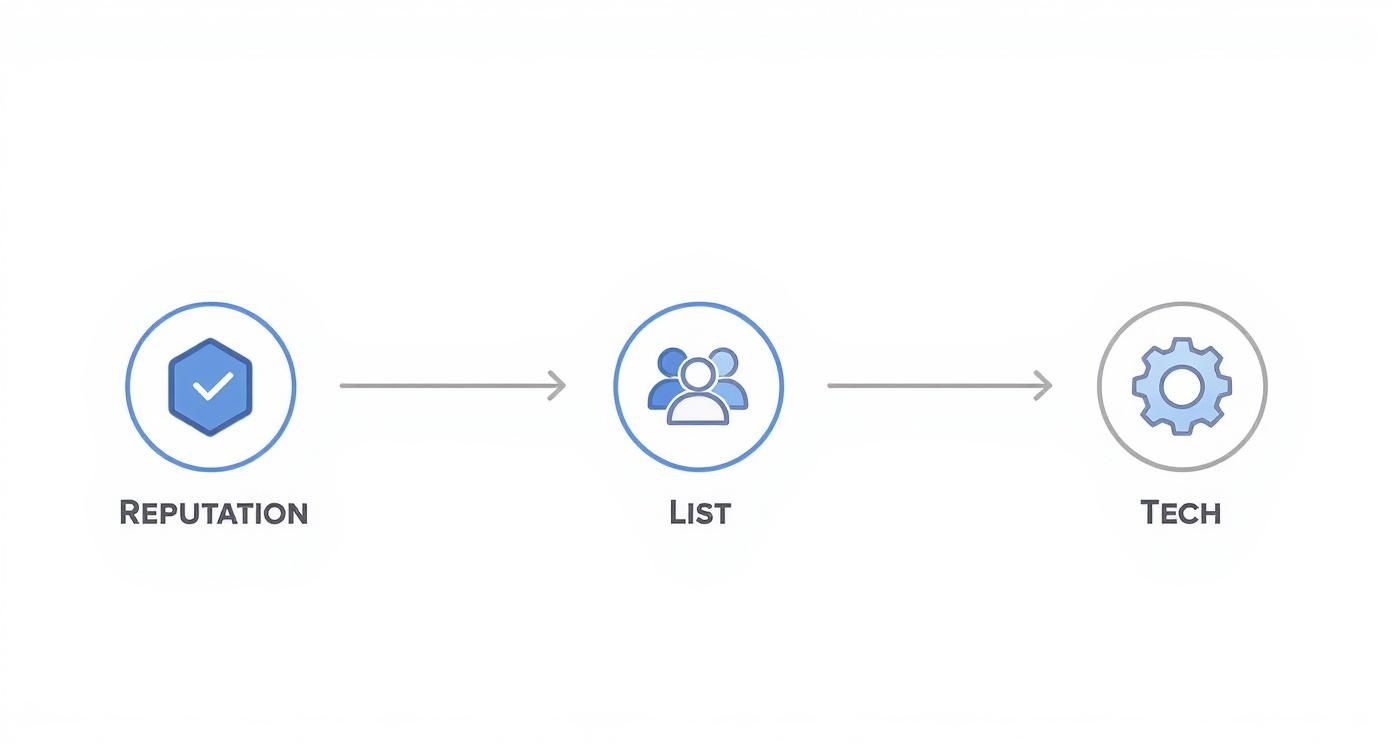
As you can see, your reputation, your subscribers, and your tech setup are all interconnected. One weak pillar can bring the whole structure down.
Your Sending Infrastructure Matters
Beyond authentication, the actual infrastructure you use to send emails plays a massive role. Sending from a generic free address like mybusiness@gmail.com is a huge red flag for mailbox providers. It screams unprofessional and lacks the authentication controls you get with your own domain.
You absolutely need a professional email address tied to your domain (e.g., contact@mybusiness.com). This instantly builds credibility and, more importantly, gives you control over your own sender reputation.
For anyone sending emails at scale, the IP address conversation is unavoidable. A huge part of this is understanding the benefits of a dedicated IP address. While a shared IP is fine for beginners, you're essentially sharing your reputation with hundreds of other senders. A dedicated IP puts you in the driver's seat.
Your deliverability is 100% tied to your own sending practices. It's an incredibly powerful tool for serious senders, but it comes with the heavy responsibility of building and maintaining a pristine reputation from day one.
The Art of the IP Warm-Up
If you do get a new dedicated IP or switch to a new email service provider, you can't just flip a switch and start blasting thousands of emails. That kind of sudden activity looks exactly like a spammer who just set up shop. You have to earn trust first by "warming up" your IP address.
Here's a step-by-step plan to warm up your IP correctly:
- Start Small: Begin by sending to a tiny, highly engaged segment of your list—the people who always open and click. For a new IP, this could be as few as 50-100 subscribers on day one.
- Increase Gradually: Slowly and consistently ramp up your daily sending volume. A common strategy is to double your volume each day for the first week, then increase by a smaller percentage each day after that. Don't get greedy.
- Monitor Everything: Keep a close eye on your open rates, click rates, bounces, and especially spam complaints. If you see negative signals, pull back on the volume immediately and diagnose the issue before ramping up again.
This slow ramp-up proves to mailbox providers that you're a legitimate sender whose emails are wanted. Rushing this is one of the fastest ways to torch a new IP's reputation, sometimes for good.
Mastering List Hygiene and Audience Segmentation
Once your technical house is in order, the game shifts from how you send emails to who you're sending them to. Your email list is the single biggest factor that shapes your sender reputation, second only to your technical setup.
Blasting emails to people who don't want them is the fastest way to get exiled to the spam folder. This makes your list quality absolutely critical for improving email deliverability.
A clean, engaged list is more than just a nice-to-have metric. It's a powerful signal to mailbox providers like Gmail and Outlook that your content is valuable. On the flip side, a list cluttered with dead, inactive, or uninterested contacts tells them the exact opposite.
Proactive List Cleaning for Better Inbox Placement
Think of list hygiene as regular maintenance for your most valuable marketing asset. It’s an ongoing process, not a one-and-done task. The goal here is to consistently weed out the addresses that are actively hurting your sender score before they can do real damage.
Here’s your step-by-step cleaning checklist:
- Remove Hard Bounces Immediately: A hard bounce is a permanent delivery failure (e.g., the email address doesn't exist). Every single one is a red flag. Your email service provider should handle this automatically, but double-check your settings.
- Scrub Consistent Soft Bounces: A soft bounce is a temporary issue (like a full inbox), but an address that soft bounces repeatedly should be treated like a hard bounce. Remove it after 3-5 consecutive bounces.
- Correct Typo Domains: Regularly scan your list for obvious misspellings of major email providers, like
gamil.comoryaho.com. These are guaranteed bounces and just dead weight on your list.
This isn't just about deleting bad addresses. It's also about identifying subscribers who've simply lost interest and respectfully letting them go.
The Power of Sunsetting Inactive Subscribers
I know it can feel painful to remove subscribers you worked so hard to get. But trust me, keeping chronically inactive users on your list hurts you way more than it helps. These unengaged contacts are an anchor, dragging down your open rates and signaling to mailbox providers that your content isn't hitting the mark.
This is where a "sunset policy" comes in. It's a simple strategy where you systematically remove subscribers who haven't engaged with your emails over a set period, like 90-180 days.
Real-World Example: A SaaS company I worked with was struggling with deliverability to Gmail. Their open rates were stuck at 15%. They implemented a strict 120-day sunset policy, removing anyone who hadn't opened a single email in four months. The next month, their average open rate jumped to 28%. By sending only to an engaged audience, they signaled to Gmail that their content was wanted, dramatically improving their inbox placement.
Before you cut them loose, it's good practice to run one last re-engagement campaign. Send a targeted email asking if they still want to hear from you. Make it dead simple for them to either opt back in or unsubscribe. If they don't respond? It's time to say goodbye.
Drive Engagement with Smart Segmentation
With a clean list in hand, the next move is to make your content impossible to ignore. The secret to this is relevance, and the path to relevance is segmentation.
Instead of sending the same generic message to your entire list, segmentation lets you divide your audience into smaller, more focused groups based on shared behaviors or characteristics. It turns a generic blast into what feels like a personal conversation.
Here are some real-world examples of smart segmentation:
- Purchase History: An online bookstore sends a "New from Your Favorite Author" email only to customers who previously bought that author's books.
- Website Behavior: A travel site emails a special offer on flights to Paris to users who recently searched for Parisian hotels but didn't book.
- Engagement Level: A media company sends its daily newsletter to hyper-engaged readers but only a weekly digest to those who open less frequently.
Sending hyper-relevant content does more than just pump up your open and click rates. Every open, click, and reply is a positive vote in the eyes of mailbox providers. It proves that your recipients actively want your emails, which is a massive factor in how to improve email deliverability. If you want to go deeper on this, you can learn more about what email segmentation is and how to put it into practice.
By combining disciplined list hygiene with smart segmentation, you create a powerful, positive feedback loop. A healthier list leads to higher engagement, which boosts your sender reputation, which, in turn, gets more of your emails into the inbox.
Crafting Content That Mailbox Providers Trust
Once you’ve nailed the technical setup and scrubbed your list clean, the last piece of the deliverability puzzle is the email itself. Every single element of your content—from the subject line down to the unsubscribe link—gets put under the microscope by mailbox provider algorithms hunting for spam.
Modern spam filters are incredibly sophisticated. They’ve moved way past just flagging certain words. Today, they analyze a complex mix of signals to decide if your email is valuable, trustworthy, and something your subscribers actually want.

It's More Than Just "Spammy Words"
Sure, it's still smart to avoid overly aggressive, salesy language. But deliverability today is less about specific "trigger words" and more about the context and intent behind them.
A subject line screaming "FREE! ACT NOW! 100% GUARANTEED!" paired with low-quality, generic content is a massive red flag. On the other hand, a more tasteful subject like "Your free guide is inside," sent to a highly engaged segment of your list, is far less likely to cause a problem.
The real key is to focus on creating content that feels authentic and provides genuine value, not trying to trick someone into a click.
Deceptive subject lines are a major deliverability killer. If your subject line promises something your email body doesn't deliver, recipients are far more likely to mark you as spam. That's one of the most damaging signals you can send to mailbox providers.
Finding the Right Content Balance
Mailbox providers also analyze the structure and makeup of your email. An email that’s just one giant image with zero text, for example, is a classic spammer tactic used to hide sketchy links. It’s crucial to maintain a healthy balance.
Here are a few structural best practices to live by:
- Maintain a Healthy Text-to-Image Ratio: There's no magic number, but always aim for a good mix. Make sure your core message is in the text itself, not buried in a graphic—plenty of people have images disabled by default. A good rule of thumb is to aim for at least 60% text and 40% images.
- Use Reputable Links: Only link out to legitimate, secure websites. Be wary of URL shorteners, as they can sometimes look suspicious because they hide the final destination. A full, descriptive link is always better.
- Keep Your Code Clean: Stick to clean, standard HTML for your email templates. Messy or non-standard code can cause rendering issues in the inbox and may get flagged by filters.
Your Unsubscribe Link Is Your Best Friend
This might sound backward, but making it ridiculously easy for people to unsubscribe is one of the best things you can do for your deliverability.
Hiding the unsubscribe link is a terrible idea. It practically forces frustrated subscribers to take the only other option they have: hitting the "mark as spam" button.
Think about it from their perspective. If someone no longer wants your emails, would you rather they quietly opt out or actively report you as a spammer? A single spam complaint is exponentially more damaging to your sender reputation than an unsubscribe.
A prominent, functional unsubscribe link shows you're confident in your content and respect your subscribers' inboxes. It’s a hallmark of a legitimate sender, and mailbox providers absolutely take notice.
By crafting thoughtful content, maintaining a balanced email structure, and embracing the unsubscribe link, you send powerful trust signals. This is central to how to improve email deliverability because it proves you're focused on building a positive relationship with your audience—not just blasting messages into the void. This user-centric mindset is exactly what mailbox providers are designed to reward.
Nail Your Sending Strategy and Cadence
Great deliverability isn't just about what you send or who you send it to. It’s also about how you send it. Mailbox providers like Gmail and Outlook are creatures of habit. They trust senders who behave predictably and get suspicious of those who don't.
Think of it like this: a sender who consistently sends a few thousand emails every Tuesday morning looks like a legitimate business with a newsletter. On the other hand, a sender who stays silent for months and then suddenly blasts out a million emails on Black Friday looks a lot like a spammer who just scraped a list. That kind of erratic activity is a massive red flag.
Establish a Consistent Sending Rhythm
Building a solid, trustworthy sender reputation requires a predictable sending schedule. Sudden, massive spikes in email volume are jarring to mailbox providers. From their perspective, they can't tell if you're running a legitimate promotion or if your account has been hijacked. The safest bet for them? Route your emails straight to the spam folder.
A much better approach is to establish a regular cadence. This doesn't mean you have to email every single day, but your volume should stay in a relatively stable range. If you're gearing up for a big campaign, ramp up your volume gradually over a few days instead of dropping it all at once.
This simple act of consistency proves you are a legitimate, reliable sender, which is a cornerstone of how to improve email deliverability.
Let Engagement Guide Your Frequency
While consistency is your foundation, you absolutely have to listen to what your audience is telling you. Monitoring engagement is the only way to fine-tune your sending frequency and avoid burning out your list. Keep a close eye on these metrics:
- Open Rates: Are they holding steady, or do they start to dip after you send several emails in a short period?
- Click-Through Rates: Are subscribers actually clicking your links, or are they just letting your emails pile up?
- Unsubscribe Rates: A sudden jump in unsubscribes is a clear signal you're probably sending too often.
- Spam Complaints: This is the most damaging metric of all. Even a tiny increase means you need to pull back immediately.
These numbers are direct feedback on how your cadence is landing with real people.
One of the most common mistakes I see is treating every subscriber the same. Your die-hard fans might actually welcome daily updates, but others might only want a weekly digest. Use your engagement data to segment your audience and send to them at a frequency they actually appreciate.
This is especially true when you're dealing with a global audience. Sending practices and deliverability rates can vary wildly from one region to another. It's a detail that many marketers overlook until it's too late.
Email Deliverability Rates by Region
| Region | Average Deliverability Rate | Key Influencing Factors |
|---|---|---|
| North America | 87.9% | High adoption of SPF/DKIM/DMARC; mature email infrastructure. |
| Europe | 80.2% | Strict data privacy laws (GDPR); regional ISP filtering practices. |
| Asia-Pacific | 82.5% | Diverse ISP landscape; rapidly growing mobile email usage. |
| Latin America | 79.8% | Developing infrastructure; higher prevalence of spam traps. |
| Global Average | ~83% | A mix of all regional factors, regulations, and user behaviors. |
As you can see, where your subscribers are located can have a real impact. For instance, Europe's rate is heavily influenced by strict regulations like GDPR, while North America benefits from higher adoption of authentication protocols.
Find the Sweet Spot for Your Audience
Ultimately, the goal is to find that perfect balance—a cadence that keeps your audience engaged without driving them to hit the spam button. The best way to do this is with good old-fashioned A/B testing.
Try testing different frequencies on different segments. For example, pit a weekly newsletter against a bi-weekly one for a specific group and see which version leads to better engagement over a month or two. Let the data tell you what your audience wants. A thoughtful, data-driven sending strategy isn't just a "best practice"; it's your ticket to a resilient sender reputation and long-term deliverability success.
Monitoring Performance and Recovering from Issues
Even if you’ve nailed the perfect technical setup, email deliverability is never a “set it and forget it” game. Inbox providers are constantly tweaking their algorithms, and your subscribers’ behavior is always shifting. The only way to stay ahead is to keep a close eye on your performance.
This means you have to catch problems before they spiral out of control and absolutely tank your sender reputation. It’s all about moving from a reactive to a proactive mindset. Instead of waiting for a campaign to flop, you need a system to constantly monitor your email health and check its vital signs.
Your Deliverability Monitoring Toolkit
The good news is you don’t have to fly blind. There are a handful of powerful, and often free, tools that give you a direct window into how mailbox providers see your emails. Making these a part of your weekly routine is non-negotiable if you're serious about your inbox placement.
- Google Postmaster Tools: This is an absolute must-have. It’s a free service from Google that gives you hard data on your domain’s reputation, IP health, delivery errors, and spam complaint rates—all straight from the source.
- Bounce Rate Tracking: Your first line of defense is right in your Email Service Provider's dashboard. A sudden spike in your hard bounce rate (from invalid addresses) or soft bounce rate (from temporary issues) is a massive red flag. A healthy hard bounce rate should always stay well below 1%.
- Blocklist Monitoring: Use a service like MXToolbox to check if your sending domain or IP has landed on any major blocklists. Getting listed can instantly slam the door shut on your emails reaching the inbox.
Your sender reputation isn't a single score; it's a mosaic of data points from dozens of sources. Proactive monitoring helps you see the whole picture, letting you fix a small crack before it becomes a full-blown crisis.
The Deliverability Recovery Checklist
So, what happens when the worst-case scenario hits? Your open rates have suddenly plummeted, and you know you’re facing a major deliverability problem.
Don't panic. Take a deep breath. A systematic approach will help you diagnose the root cause and get things back on track.
When you're in crisis mode, this is your immediate step-by-step action plan:
- Pause All Campaigns: First rule of holes: stop digging. Halt every single outgoing email right away. This prevents any further damage to your reputation while you figure out what’s going on.
- Check Authentication Records: Jump into your DNS settings and verify that your SPF, DKIM, and DMARC records are still correctly configured and passing. I’ve seen a simple, accidental DNS change break authentication and wreck deliverability overnight.
- Review Recent Content: Look at the last few campaigns you sent. Did you try out a new template? Use any strange-looking links? Test an aggressive new subject line? Revert any recent changes that could possibly be flagged as spammy.
- Analyze Recent List Additions: Did you just import a new batch of subscribers? They could be the source of your trouble. Scrutinize the quality of any contacts added right before your performance took a nosedive.
Deliverability dips happen to everyone. It’s a normal part of the email marketing world. By staying vigilant with your monitoring and having a clear recovery plan ready to go, you can resolve issues quickly and get back to landing your emails where they belong—the inbox.
Key Takeaways and Your Next Step
Improving your email deliverability comes down to building trust with both your subscribers and their inbox providers. It’s a continuous effort focused on three key areas: a solid technical foundation, a clean and engaged list, and valuable content. By mastering these fundamentals, you send clear signals that your emails are wanted and legitimate.
Your Recommended Next Step: Log into your DNS provider and check your email authentication records right now. Ensure your SPF, DKIM, and DMARC records are set up correctly. This single technical check is the most powerful first step you can take to secure your sender reputation and improve inbox placement.
Ready to master every aspect of your email marketing? At EmailGum, we provide in-depth guides and actionable strategies to help you get your emails seen and clicked. Start building more effective campaigns today by exploring our resources at https://emailgum.com.