Picture this: you've just clicked "buy" on a new pair of sneakers you've been eyeing. Almost instantly, an email lands in your inbox confirming the purchase. It has all the details—order number, shipping address, expected delivery date.
That is a transactional email. They are the automated, one-to-one messages sent to a single person because of a specific action they just took.
Your Business’s Digital Assistant
Think of transactional emails as your business's incredibly efficient digital assistant. They work around the clock, behind the scenes, delivering critical information right when your customers need it. Unlike a marketing newsletter blasted out to thousands, these are personal, expected communications.
This direct, anticipated relationship is precisely what makes them so powerful. Because a user's own action triggers the email, it feels less like an ad and more like a helpful confirmation of service. That simple distinction is a game-changer for building trust and ensuring a smooth customer experience right from the start.
Why They Matter So Much
The proof is in the numbers. Transactional emails have 8x higher open and click-through rates compared to typical marketing campaigns. This makes them one of the most effective tools you have for nurturing customer relationships without ever landing in a spam folder. If you want to dive deeper, you can explore more email marketing statistics to see just how big their impact is.
This incredible engagement comes down to one thing: they fulfill an immediate need. When someone gets a transactional email, they are actively looking for the information inside. This creates a golden opportunity to deliver value and show them your brand is on top of things.
To get straight to the point, here are the core attributes that define transactional emails and make them so effective.
Key Characteristics of Transactional Emails
| Characteristic | Description | Real-World Example |
|---|---|---|
| Timely | Sent immediately after a user's action, providing instant feedback. | An e-commerce site sending an order confirmation the second you pay. |
| Personalized | Contains information specific to the recipient, like order details or a unique reset link. | A password reset email that includes your username and a one-time link. |
| Anticipated | Expected by the customer as a natural part of a process they initiated. | A shipping notification after you receive a "your order has shipped" alert. |
| Functional | The primary purpose is to convey essential information, not to sell. | An email verifying your new account, so you can log in. |
| High Engagement | Receives significantly higher open and click rates due to its relevance. | A welcome email gets opened because the user just signed up and wants to get started. |
Ultimately, these emails are the backbone of a great customer experience, reassuring users that everything is working as it should.
A great transactional email does more than just confirm an action; it reassures the customer that your business is responsive, organized, and trustworthy. It’s a small touchpoint that has a massive impact on perception.
Once you start seeing them not as mere notifications but as key moments in the customer journey, you can unlock their potential to strengthen your relationship with every single send.
Transactional vs. Marketing Emails Explained
To really get what transactional emails are, it helps to first understand what they aren't. The best way to think about this is with a real-world analogy.
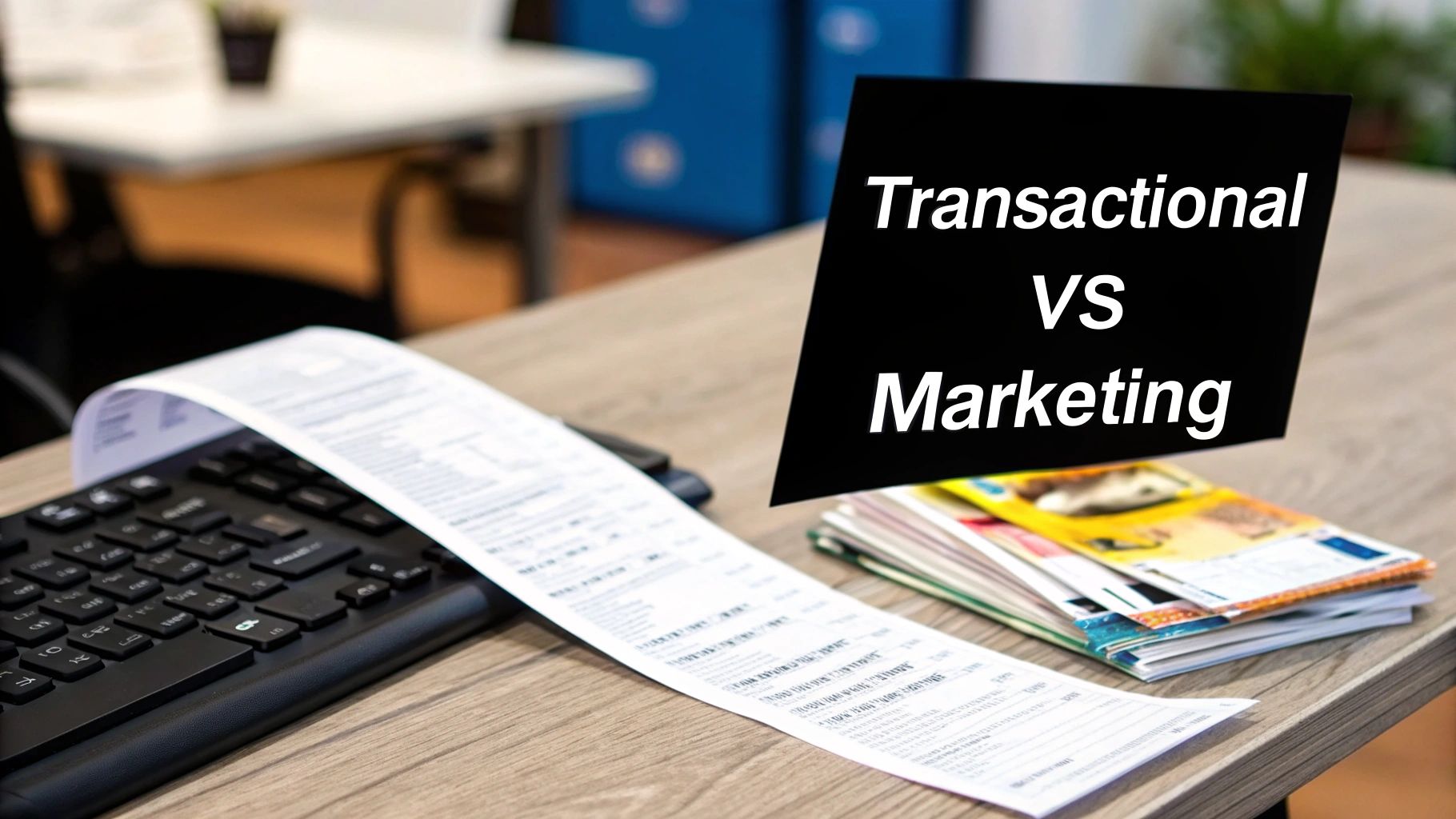
A transactional email is like the receipt a cashier hands you after you buy something. It’s a direct, one-to-one confirmation of an action you just took. It’s expected and necessary.
A marketing email, on the other hand, is like a promotional flyer you get in the mail. It’s a one-to-many broadcast, sent to a wide audience hoping to spark interest or drive a future sale. This difference in purpose is the key to telling them apart.
The Core Difference: Purpose and Intent
The whole point of a transactional email is to fulfill an existing need or complete an interaction that’s already in progress. When a customer buys a product, they need a receipt. If they forget their password, they need a reset link. The communication is not only expected but essential for the user's experience.
Marketing emails are all about creating new demand. Their job is to persuade, inform, or entice someone to do something they weren't already planning on, like checking out a new product or using a discount code. This fundamental split directly influences how each email gets sent.
Action vs. Schedule: Triggers and Timing
How an email is "triggered" is another dead giveaway. Transactional emails are always kicked off by a specific action taken by a single user.
- A user signs up for an account, triggering a welcome email.
- Their order ships, triggering a shipping notification.
- Their free trial is about to end, triggering an expiration warning.
Marketing emails run on a schedule determined by the marketing team. They’re part of a campaign, a seasonal promotion, or an automated sequence built to nurture leads over time. The sender’s goals dictate the timing, not the recipient’s immediate actions.
Transactional emails are a reaction to a user's behavior, making them timely and highly relevant. Marketing emails are proactive, aiming to influence future behavior based on a planned strategy.
For a clearer picture, let's break down the key distinctions in a simple table.
Transactional vs Marketing Emails at a Glance
| Attribute | Transactional Emails | Marketing Emails |
|---|---|---|
| Purpose | To facilitate or confirm an action the user has already taken. | To promote products, build brand awareness, or drive sales. |
| Trigger | A specific user action (e.g., purchase, password reset). | A pre-defined schedule or marketing automation workflow. |
| Audience | An individual (one-to-one communication). | A segment or list of subscribers (one-to-many). |
| Content | Functional, personalized, and directly related to the trigger. | Promotional, persuasive, and broadly appealing. |
| Legal Rules | Generally exempt from CAN-SPAM; unsubscribe link is not mandatory. | Must comply with CAN-SPAM/GDPR; unsubscribe link is required. |
| Primary Goal | To provide necessary information or complete a process. | To generate engagement, leads, or revenue. |
This table neatly sums it up. Transactional emails are functional and triggered by you, while marketing emails are promotional and scheduled by the sender.
Audience and Legal Considerations
Because of their very nature, transactional emails are sent to an audience of one. They’re packed with personal information meant only for that individual. This is why they are generally exempt from marketing regulations like the CAN-SPAM Act, meaning they don’t legally need an unsubscribe link (though it's good practice for some notifications).
Marketing emails go out to entire segments or lists of people who have explicitly opted in to receive them. They must include a clear, easy-to-find unsubscribe option to stay compliant. Getting this distinction right isn't just good for your customers—it's critical for running an effective and legal email strategy.
The Must-Have Transactional Emails for Your Business
Now that we’ve sorted out the difference between transactional and marketing emails, let's get into the good stuff: the real-world examples. These are the workhorse emails, the automated messages that create a smooth, reliable customer experience. Think of them as opportunities to turn simple functional updates into moments of reassurance.
Each one is triggered by a specific customer action and meets a critical need. Getting them right isn't just about relaying information—it’s about proving your business is on the ball, responsive, and worthy of their trust. Let's break down the core types you'll likely be sending every single day.
Account Management Emails
These emails are the digital handshakes and security guards for every user account. They’re often the very first—and most important—interactions someone has with your platform. Their whole job is to make account access a breeze and build confidence from day one.
- Welcome Emails: The first message a new user gets after signing up. It confirms their registration was successful, often nudges them to take a crucial next step (like verifying their email), and sets the entire tone for the relationship. A great example is Slack's welcome email, which encourages new users to download the desktop app and set up their first channel.
- Password Resets: An absolute must. When a user inevitably forgets their password, this email delivers a secure, time-sensitive link to get them back in. The goal here is zero friction and maximum security.
- Account Verification: This is the email that asks users to click a link to prove they actually own the email address they used. It’s a simple but vital step for security that helps you maintain a clean, high-quality user list.
Ecommerce Notifications
If you sell anything online, these emails are non-negotiable. They deliver the post-purchase peace of mind that every customer craves, immediately answering the burning question: "Did my order go through?" Each email in this sequence is designed to reduce buyer's remorse and build excitement for what's coming.
A great order confirmation is more than just a receipt; it’s a promise. It tells your customer, "We've got it from here," building instant trust and setting clear expectations for the next steps.
Order confirmations are the perfect example. They recap the purchase details, confirm payment, and give the customer an order number to reference. For a deep dive into getting these right, you can learn how to write a confirmation email that really connects. Other key ecommerce emails include shipping updates that let customers track their package’s journey (like the highly engaging notifications from Shopify's 'Shop' app) and delivery confirmations that close the loop on a successful purchase.
User Support and Feedback Emails
This category is all about clear communication and getting better over time. These automated messages are triggered whenever a customer reaches out for help or after they've had a chance to use your product or service.
- Support Ticket Confirmations: When a user submits a help request, this email instantly confirms you’ve received it. It usually includes a ticket number and sets an expectation for when they’ll hear back.
- Feedback and Review Requests: Sent after a purchase is complete or a support ticket is closed, these emails invite customers to share what they think. This is gold for your business—it gives you valuable insights and helps generate social proof.
- Subscription Reminders: For any recurring service, these are lifesavers. Emails like trial expiration warnings or upcoming renewal notices give customers a helpful heads-up, preventing surprise charges and reducing churn. Netflix does this well by notifying users a few days before their monthly bill is due.
How to Send Transactional Emails Reliably
When it comes to sending critical emails like receipts and password resets, you need a specialized approach. You can’t just fire them off from a standard inbox like Gmail or Outlook. Those platforms just aren't built for the kind of high-volume, automated sending that transactional emails demand.
Trying to do so is like attempting to deliver thousands of important packages with your personal car—it’s slow, inefficient, and things are bound to get lost along the way.
To make sure your messages actually land in the inbox every single time, you need a dedicated transactional email service. These platforms are engineered from the ground up for speed and reliability, making them an absolute must for any serious business.
SMTP Relays and APIs Explained
So, how do these dedicated services actually work? They typically send emails using one of two methods: SMTP relays or APIs. That might sound a little technical, but the concepts are actually pretty straightforward.
- An SMTP Relay is like a specialized, high-speed post office for your emails. Your app or website hands the email off to the relay service, which then uses its powerful, trusted infrastructure to guarantee the message gets delivered.
- An API (Application Programming Interface) offers a more direct way for your website to "talk" to the email service. This allows for more advanced interactions, like personalizing emails with dynamic templates or tracking opens and clicks in real-time.
For more complex setups, you might even find yourself leveraging webhooks for real-time email triggers, which helps automate the entire process even further.
The Critical Role of Email Authentication
Just using a dedicated sending service isn't quite enough. You also have to prove that your emails are the real deal. This is where email authentication comes into play. Think of it like showing your ID to inbox providers like Gmail and Outlook to prove you are who you say you are.
This flowchart shows how essential transactional emails flow through typical account, e-commerce, and support systems.
Every single step in this process relies on strong authentication to ensure emails are delivered reliably from your system straight to the customer's inbox.
There are three key protocols you absolutely need to know:
- SPF (Sender Policy Framework): This is basically a public list of the servers that are authorized to send email on behalf of your domain.
- DKIM (DomainKeys Identified Mail): This protocol adds a digital signature to your emails, which verifies that the message content hasn't been messed with in transit.
- DMARC (Domain-based Message Authentication, Reporting & Conformance): This ties SPF and DKIM together, telling inbox providers what to do with emails that fail those checks. It’s your best defense against scammers trying to impersonate your domain.
Getting these records set up correctly is a foundational step in building a trustworthy sender reputation. For a deeper dive, check out our guide on how to improve email deliverability.
With global email volumes hitting a staggering 347 billion per day, using dedicated services with proper authentication is non-negotiable if you want to cut through the noise. These measures are your best defense against the spam folder, making sure your most important communications always reach their destination.
Transform Your Emails From Functional to Exceptional
Great transactional emails do more than just relay information—they create a positive, lasting impression of your brand. While their main job is purely functional, a little optimization can turn a simple notification into a powerful tool for customer engagement. These small tweaks can seriously upgrade how customers see your brand's reliability and attention to detail.
The leap from a basic, functional message to an exceptional one starts the moment you realize every single email is a touchpoint. It's a chance to reinforce your brand voice, build some serious trust, and maybe even add a little unexpected value.
Step 1: Nail the First Impression With Your Subject Line
Think of the subject line as the gatekeeper to your email. For transactional messages, clarity and brevity are king. A user should know exactly what the email is about before they even click open. Vague subject lines just create confusion, but clear ones build confidence right away.
Here's how to write a great transactional subject line:
- Be Direct: Get straight to the point. "Your Chewy.com Order Confirmation (#12345)" is miles better than a generic "Thank You!"
- Include Key Identifiers: Add specifics like an order number, ticket ID, or username. This makes the message instantly recognizable and way easier for your customer to find later.
- Avoid Fluff: Fight the urge to get overly clever or promotional here. The real goal is to deliver information quickly and efficiently.
Step 2: Design for Trust and Brand Consistency
Your email’s design should feel like a natural extension of your brand. Sure, a plain-text email gets the job done, but a well-designed message with your logo, brand colors, and fonts creates a much more cohesive and professional experience. That consistency builds familiarity and trust, reassuring the recipient that the email is legitimate.
An exceptional transactional email experience builds trust and increases customer satisfaction. Satisfied customers are more likely to engage with your brand repeatedly and recommend it to their peers.
And please, make sure your design is mobile-responsive. With so many people checking emails on their phones, your messages have to look perfect on any screen. A clunky, hard-to-read email on a mobile device is a bad look for your brand.
Step 3: Add Value Beyond the Basic Message
This is where you can really start to stand out. Think about what extra information could genuinely help your customer at that exact moment. Going beyond the bare minimum shows you’re actually thinking about their needs.
- In a welcome email, why not include a link to a "Getting Started" guide or a quick tutorial video?
- In a shipping confirmation, add a handy link to your return policy or an FAQ about delivery times.
- In a receipt for a software purchase, provide a direct link to the support documentation.
These small, value-added touches turn a standard notification into a genuinely helpful resource. To really level up, consider broader strategies to improve e-commerce customer experience, since these emails are a key part of that whole journey. For an even deeper dive, our guide on transactional email best practices is packed with more actionable tips. When you put these strategies into play, you shift your emails from being mere transactions to valuable, brand-building interactions.
How to Measure and Improve Your Email Performance
If you aren't measuring your email strategy, you're just guessing. To really know if your transactional emails are hitting the mark, you have to track the right metrics. These numbers, known as key performance indicators (KPIs), tell the true story of how customers are experiencing your communications.
Think of it like the dashboard in your car. Your speed, fuel level, and engine temp are all vital signs that tell you how things are running. Email KPIs do the same thing for your communication strategy, giving you a clear view of its health and helping you spot trouble before it turns into a real problem.
Key Metrics to Monitor
Just keeping an eye on a few core numbers can give you a powerful snapshot of your success. Each one tells you something different about how well your messages are connecting with people.
- Delivery Rate: This is the percentage of your emails that actually make it to the recipient's mail server. If this number is low, it could be a red flag for issues with your sending infrastructure or the quality of your email list.
- Open Rate: This shows you how many people actually opened your email. It's a direct reflection of whether your sender name and subject line are compelling enough to grab their attention in a crowded inbox.
- Click-Through Rate (CTR): This tracks the percentage of people who clicked on a link inside your email. A healthy CTR is a great sign that your content is relevant and your calls-to-action are clear and persuasive.
A high open rate is a great start, but the click-through rate is where the real engagement is measured. It’s proof that your message not only got seen, but it also got someone to take that next important step.
Choosing the Right Email Provider
Of course, these metrics are only helpful if your email service provider gives you the tools to track them. When you're picking a provider for your transactional emails, make sure analytics is a top priority. Look for a platform with a clean, easy-to-use dashboard where you can see these KPIs at a glance.
A truly great provider does more than just send emails—it gives you the insights you need to get better over time. The right tool empowers you to test different subject lines, tweak your content, and build a smarter, more responsive communication strategy that’s based on real data, not just a hunch.
Summary and Your Next Step
Transactional emails are the automated, one-to-one messages triggered by user actions, like an order confirmation or password reset. Unlike marketing emails, they are functional, personal, and highly anticipated, leading to much higher engagement rates. Getting them right involves using a dedicated sending service, ensuring proper authentication (SPF, DKIM, DMARC), and optimizing content for clarity, branding, and value. By focusing on these elements, you can turn essential notifications into powerful tools for building customer trust and loyalty.
Your Recommended Next Step: Review your most-sent transactional email (likely your order or shipping confirmation). Ask yourself: "How can I make this email 10% more helpful for my customer?" Adding one useful link or clarifying one piece of information is a simple, high-impact way to start improving your customer experience today.
Ready to turn what you've learned into real results? EmailGum is packed with in-depth guides and practical advice to help you master your email game. Explore our resources today and get started.