Ever wonder what happens when you hit “Send” on an email? It feels instant, but behind the scenes, a digital post office works around the clock to get your message where it needs to go. That digital post office is the email server, and understanding it is the first step to mastering your email marketing.
This guide will break down exactly what an email server is, how it works, and why it's the most critical piece of your marketing toolkit. You'll get practical, step-by-step insights you can apply right away.
So, What Exactly Is an Email Server?
At its simplest, an email server is a dedicated computer system designed to send, receive, and store emails. Think of it as the central hub connecting your inbox to everyone else's. Without it, your newsletters, campaign updates, and customer support messages would be stuck in digital limbo.
This system is what makes email so incredibly reliable. Providers like Gmail and Outlook don’t rely on just one machine; they operate massive, interconnected networks of them. If one server needs maintenance, others in the network instantly take over. It’s a robust system built for non-stop performance, ensuring your messages always get through.
The Three Core Jobs of an Email Server
To really grasp what an email server does, let's break its work down into three main jobs. Each one is a critical step in an email's journey from you to your audience.
- Receiving Mail: When someone sends you a message, their server finds and contacts your server. Yours accepts the incoming email, runs a few quick security checks, and then drops it into your account’s mailbox, ready for you to open.
- Storing Mail: The server acts like a secure digital filing cabinet, holding onto your emails until you’re ready to read, delete, or organize them. This is what lets you access your entire email history from your phone, laptop, or tablet without missing a beat.
- Sending Mail: When you fire off an email, your email client hands the message over to your outgoing server. That server then acts like a digital courier, locating the recipient's server online and making the delivery.
This entire process is powered by a global network of hardware and software working in perfect harmony. And the scale is mind-boggling. By 2025, it's estimated that 376 billion emails will be sent every single day worldwide. You can dig into more email marketing stats on OptinMonster.com to see just how massive this operation is.
To make this all click, let's simplify the core roles with a quick summary.
Email Server Core Functions at a Glance
This table breaks down the server's primary jobs using a familiar analogy to make the concepts stick.
| Function | What It Does | Real-World Analogy |
|---|---|---|
| Sending | Finds the recipient's server and delivers your message. | The mail carrier who takes your letter and drives it to the right address. |
| Receiving | Accepts incoming mail and sorts it into the correct mailbox. | The postal worker who sorts incoming mail and puts it in the right P.O. Box. |
| Storing | Securely holds your emails until you access them. | The physical P.O. Box that holds your mail until you pick it up. |
Thinking of it this way helps clarify how all the pieces work together to make email a seamless experience.
The easiest way to remember the difference is: The email server is the post office, while the email client (like Outlook or Apple Mail) is your personal mailbox where you read and write messages.
Tracing the Journey of an Email Step by Step
Let's stick with our digital post office analogy and follow a single email from the moment you hit 'Send' to its arrival in someone's inbox. This journey feels instant, but it's actually a lightning-fast, coordinated dance between different servers and protocols.
When you send a message, your email client (like Gmail or Outlook) doesn't just toss it into the digital ether. Instead, it securely hands your message off to your Outgoing Mail Server, also known as an SMTP server. Think of this as dropping your letter off at your local post office branch—it's the first stop.
From there, your outgoing server gets to work. It reads the recipient's address (say, contact@theirdomain.com), figures out the destination domain (theirdomain.com), and looks up where that domain's Incoming Mail Server lives. It then zips your email across the internet to that server, which acts as the recipient's post office, ready to hold the mail for pickup.
This diagram perfectly captures the core functions of an email server in this whole process:
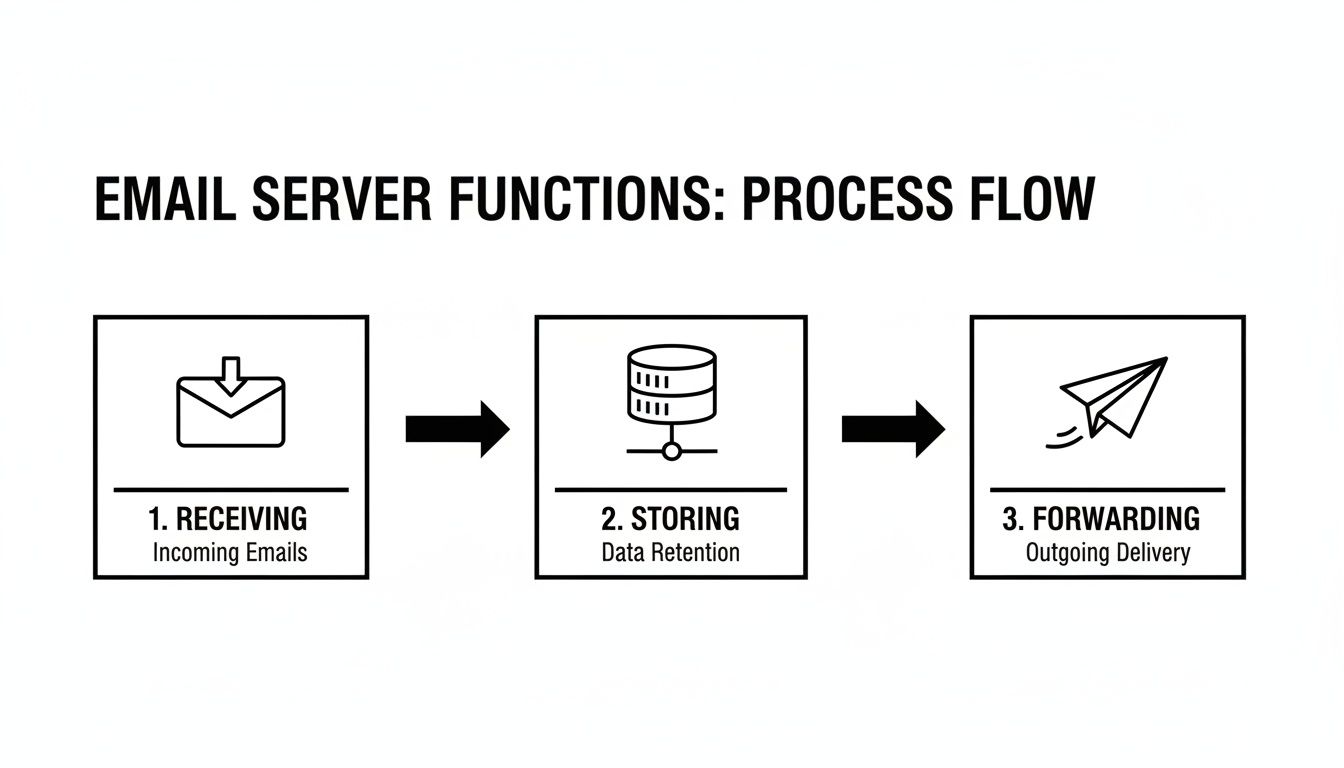
This simple flow—receive, store, forward—is the backbone of every single email you send. It's what makes the entire system reliable.
The Languages of Email Servers: SMTP, POP3, and IMAP
For this handoff between servers to work, they all need to speak the same "language." In the email world, these languages are called protocols. They are strict sets of rules that dictate how email data is formatted, sent, and received.
While there are many protocols out there, three do almost all the heavy lifting.
SMTP (Simple Mail Transfer Protocol): This one is all about sending email. When your client connects to your outgoing server, it's using SMTP. When your server connects to the recipient's server, it's also using SMTP. It’s the universal workhorse of email delivery, responsible for pushing your message from point A to point B.
POP3 (Post Office Protocol 3): This is an older protocol for receiving email. With POP3, your email client connects to the server and downloads all your new messages directly to your device. The key thing here is that once they're downloaded, the emails are usually deleted from the server. This means you can only access them on that one specific device. You don't see it much anymore for good reason.
IMAP (Internet Message Access Protocol): This is the modern standard for receiving email, and it’s a game-changer. Unlike POP3, IMAP leaves your emails on the server and just syncs a copy to your device. This is the magic that lets you read an email on your phone, see it marked as 'read' on your laptop, and find it perfectly archived in the same folder on your tablet. It keeps everything synchronized.
Actionable Takeaway: For marketers and modern professionals, IMAP is essential. It provides a consistent, unified view of your inbox across all devices. POP3, by chaining your mail to a single device, is far too restrictive for how we work today.
Occasionally, during that SMTP handoff, an email might get held up. If you've ever wondered why, you can learn all about it in our guide explaining what it means when an email is queued.
Putting It All Together: A Real-World Example
Let's walk through a quick, practical example to see these protocols in action.
- You write an email in Apple Mail on your iPhone and tap 'Send'.
- Your iPhone (the client) uses SMTP to shoot the message over to your outgoing mail server (e.g.,
smtp.gmail.com). - Your Gmail server looks up the recipient's server and uses SMTP yet again to deliver the message across the internet.
- The recipient's incoming mail server accepts the message and holds it safely.
- Later, the recipient opens Outlook on their laptop. Their client uses IMAP to connect to their incoming mail server and sync the new message, which pops into their inbox.
- Because they used IMAP, that email is still on the server, ready to be synced with their phone or any other device they log into.
This entire sequence, from send to sync, happens in the blink of an eye—a testament to the efficiency of email servers and protocols.
Comparing Hosted And Self-Hosted Email Servers
Every business eventually faces a key decision: do you use a managed service that handles everything for you, or do you build and run your own email server? This decision boils down to two models—hosted and self-hosted. Each path comes with its own trade-offs around cost, control, and technical work.
A hosted email server is a service where a third-party company, like Google or Microsoft, owns and manages all the hardware and software. Think of it like renting a fully furnished apartment. A self-hosted email server is one you build, set up, and maintain yourself. This is like building your own house from the ground up.
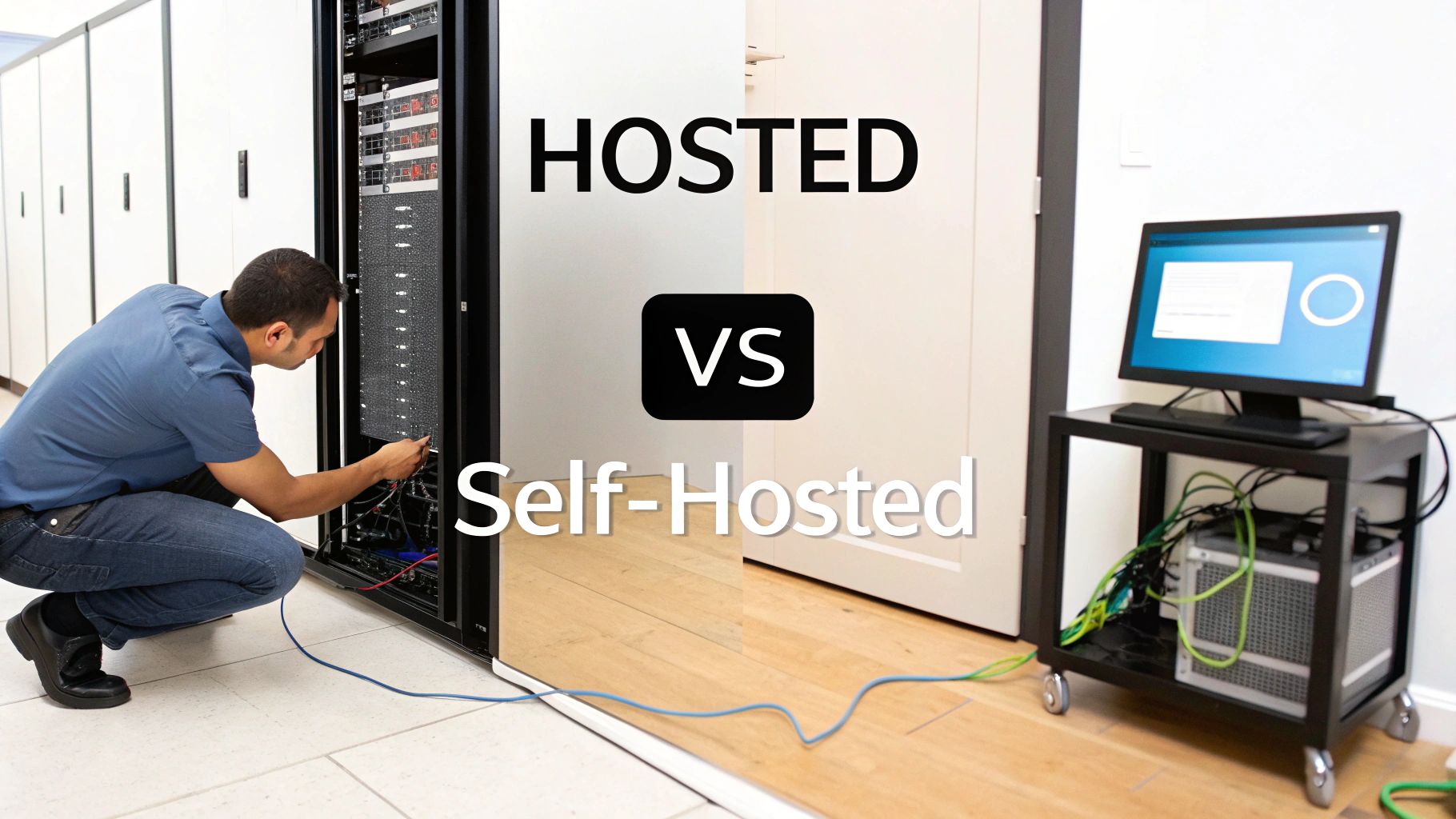
Let's break down the pros and cons of each approach so you can figure out what makes the most sense for your business.
Hosted Email Servers: The "Plug-And-Play" Solution
For the vast majority of businesses, especially small to medium-sized ones, a hosted solution like Google Workspace or Microsoft 365 is the practical choice. They make professional-grade email accessible to anyone, no IT degree required.
Real-World Example: A startup founder can sign up for Google Workspace, connect their domain (yourbusiness.com), and have professional emails like founder@yourbusiness.com running in under an hour, complete with top-tier security and deliverability.
Key advantages include:
- Effortless Setup: Get started within minutes without complex configurations.
- Zero Maintenance: The provider handles all security patches, software updates, and hardware upkeep, freeing you to focus on your business.
- Built-in Security and Deliverability: These giants have teams dedicated to fighting spam and maintaining high sender reputations, meaning your emails are more likely to land in the inbox.
The main trade-off is control. You must adhere to the provider's sending limits, storage caps, and terms of service.
Self-Hosted Email Servers: The Path To Total Control
Choosing to self-host is the ultimate DIY project. It offers complete freedom but also means you are responsible for everything.
This approach gives you:
- Complete Customization: Fine-tune the server to your exact needs with custom scripts, unique security protocols, or specialized applications.
- Unlimited Sending (in Theory): You aren't restricted by a third party’s sending caps.
- Potential for Long-Term Savings: Avoid recurring monthly fees per user, which can add up for larger teams.
However, the responsibility is immense. You are in charge of security, uptime, updates, and managing your IP reputation. A single mistake could get your domain blacklisted, crippling your ability to communicate.
If you're considering this path, understanding platforms like Exchange is non-negotiable. Guides like this one on Mastering Exchange Server Settings offer a glimpse into the complexities involved.
Making The Right Choice: A Direct Comparison
This table breaks down the core differences to help you weigh what matters most to your business.
| Feature | Hosted Email Server (e.g., Google Workspace) | Self-Hosted Email Server (e.g., Postfix) |
|---|---|---|
| Setup & Maintenance | Simple and fast; fully managed by the provider. | Complex and time-consuming; requires significant technical expertise. |
| Cost | Predictable monthly subscription fee per user. | High initial setup cost, but lower long-term operational costs. |
| Control & Customization | Limited to the provider’s features and settings. | Complete control over all software, hardware, and configurations. |
| Security | Handled by dedicated expert teams at the provider. | Your sole responsibility, including patches and threat monitoring. |
| Deliverability | Benefits from the provider’s established high sender reputation. | You must build and protect your own IP and domain reputation from scratch. |
Actionable Takeaway: For most marketers and business owners, a hosted solution delivers the best combination of power, reliability, and peace of mind.
Why Your Email Server Is Crucial for Marketing Success
It’s easy to think of an email server as just a piece of background tech. But for a marketer, that server is the engine that powers your campaigns, the gatekeeper of your reputation, and a massive factor in your ROI. Get it right, and your messages fly into inboxes. Get it wrong, and even the most brilliant campaign gets lost.
Think of your email server’s reputation like a credit score for your domain. A high score tells inbox providers like Gmail and Outlook that you’re a trustworthy sender. A low score gets you flagged, sending your emails straight to spam—or blocking them completely.
Deliverability: The Gatekeeper to Your Audience
Deliverability—the measure of how many of your emails actually land in an inbox—is the one metric every marketer obsesses over. A poorly configured server can single-handedly destroy it. This is where sender authentication comes into play. These technical protocols act as a digital passport for your emails, proving to receiving servers that your message is legitimate.
Here are the three key protocols you need to have locked down:
- SPF (Sender Policy Framework): A public record listing all authorized servers allowed to send email for your domain. It’s like saying, "Only emails from these specific post offices are genuinely from me."
- DKIM (DomainKeys Identified Mail): Adds a unique digital signature to every email, confirming it wasn't altered in transit.
- DMARC (Domain-based Message Authentication, Reporting & Conformance): The enforcer. It builds on SPF and DKIM by telling receiving servers exactly what to do with emails that fail authentication—quarantine them in spam or reject them outright.
The financial stakes are massive. The industry average for deliverability is around 86%, but that gap costs US businesses over $164 million every single day in lost revenue from undelivered emails. Dive deeper into these email marketing statistics to see just how quickly a single bounced campaign can impact your ROI.
Building Trust Through Unbreakable Security
Getting emails delivered is only half the battle. Your server also plays a huge role in protecting sensitive information and building customer trust. A secure email server is a non-negotiable part of modern business.
One of the biggest current trends is the move away from Basic Authentication. This outdated method sends usernames and passwords in a way that’s easily stolen. Major players like Microsoft are phasing it out in favor of more secure methods like OAuth 2.0. This isn’t just a technical update; it’s a powerful trust signal that shows customers you are serious about protecting their data.
Practical Steps for Marketing Success
Here’s your action plan for turning your email server into a marketing asset:
- Step 1: Prioritize Authentication. Make sure your SPF, DKIM, and DMARC records are correctly configured. This is the single most important technical step to boost deliverability.
- Step 2: Monitor Your Reputation. Use tools to keep an eye on your sender score. Watch for red flags like a sudden spike in bounce rates or spam complaints, and act fast if you see them.
- Step 3: Embrace Modern Security. If you use a hosted provider like Google Workspace or Microsoft 365, they handle most of the heavy lifting. If you’re self-hosting, it's on you to stay current with best practices like OAuth.
How to Choose the Right Email Server Provider
For most marketers, choosing a hosted provider is the smart move. It gives you top-tier power without needing a dedicated IT crew. But with so many options, how do you choose?
The right call comes down to your business needs. The market is dominated by a few big names—mainly Google Workspace and Microsoft 365. Sticking with them usually pays off, as they set the gold standard for security, compatibility, and deliverability.

Evaluate the Market Leaders
The email world is concentrated, which is great news. When you go with a major provider, you're plugging into a massive, highly respected network.
Market share data from 2024-2025 shows Gmail holding 29-30% of the global email client market, with Apple Mail at a massive 48-58%. Outlook, backed by 400 million paid Microsoft 365 users, holds around 4%. Aligning with these titans makes your messages look more legitimate right out of the gate.
- Google Workspace (formerly G Suite): The go-to for teams that love a clean interface and seamless collaboration with Google Docs, Sheets, and Drive. It’s a fantastic choice for startups and small businesses that value speed and simplicity.
- Microsoft 365 (formerly Office 365): A no-brainer if your business runs on the Microsoft ecosystem. It brings enterprise-grade security and native integration with desktop apps like Word, Excel, and Teams.
Ultimately, the choice often comes down to what your team is already comfortable using.
Your Essential Provider Checklist
Use this step-by-step checklist to compare your options and make a smart decision.
1. Scalability and Storage
Will this provider grow with you? Check the storage limits for each user and find out how easy it is to add new accounts. A great provider lets you scale smoothly without service hiccups.
2. Security and Compliance
This is non-negotiable. Your provider must offer:
- Two-Factor Authentication (2FA): A fundamental security layer to protect accounts.
- Advanced Threat Protection: Proactive scanning for malware, phishing links, and malicious attachments.
- Data Encryption: Look for encryption both in transit (while traveling online) and at rest (when stored on servers).
- Compliance Certifications: If you're in a regulated industry, ensure the provider meets standards like HIPAA or GDPR.
3. Integrations and Ecosystem
How well does the email service play with the other tools you rely on? A provider like Google Workspace or Microsoft 365 offers a whole ecosystem of apps, from calendars and video conferencing to project management, creating a smoother workflow.
4. Customer Support and Reliability
When things go wrong, you need help—fast. Look into the provider’s support options (24/7 phone or chat is ideal). Also, check their uptime guarantee. The industry standard is 99.9%. Digging into a guide on the best business email providers can give you a better feel for the support and reliability of different services.
Summary and Your Next Step
Understanding your email server is the foundation of successful email marketing. It’s not just an IT concern; it’s a strategic asset that directly impacts your campaign performance, deliverability, and ROI. By ensuring your server is secure, properly authenticated (SPF, DKIM, DMARC), and hosted by a reputable provider like Google Workspace or Microsoft 365, you set your campaigns up for success.
Recommended Next Step: Take 10 minutes today to log in to your domain registrar or email provider and review your authentication records (SPF, DKIM, and DMARC). Ensure they are correctly set up. This one simple check can significantly improve your email deliverability.
Frequently Asked Questions About Email Servers
Here are quick, practical answers to some of the most common questions marketers have about email servers.
Email Server vs. Email Client: What's the Difference?
These terms are often confused, but they play very different roles.
- The email server is the post office—a powerful, centralized system that stores, sorts, and routes all your mail.
- The email client (like Outlook, Gmail, or Apple Mail) is your personal mailbox—the app on your computer or phone that you use to read, write, and organize your messages.
Your client connects to the server to send or receive mail. One is the behind-the-scenes infrastructure; the other is the user-facing tool.
Can I Use My Business Email Server for a Mass Marketing Campaign?
While it’s technically possible, it’s a terrible idea that could get your domain blacklisted.
Standard business email servers (Google Workspace, Microsoft 365) are designed for one-on-one conversations and have strict sending limits. Exceeding them destroys your sender reputation, preventing even your regular business emails from being delivered.
- Actionable Advice: For bulk campaigns, you must use a dedicated Email Service Provider (ESP) like Mailchimp, ConvertKit, or Constant Contact. There are no exceptions. ESPs use specialized, high-reputation servers built to send huge volumes of email successfully.
What Is the Role of an Email Service Provider (ESP)?
An ESP is a complete email marketing platform built on top of a professionally managed fleet of email servers. They handle all the mission-critical technical details, including:
- Managing IP address reputations.
- Staying compliant with anti-spam laws like CAN-SPAM.
- Providing analytics to track campaign performance.
In short, an ESP manages an army of specialized email servers at scale so you can focus on your marketing, not on the technical plumbing.
Email security is a constant concern. For instance, knowing how to spot a legitimate Microsoft account security alert email versus a phishing attempt is a crucial skill for keeping your accounts safe.
At EmailGum, we're dedicated to helping you master every aspect of email marketing. From server fundamentals to advanced campaign strategies, our guides provide the actionable insights you need for success. Start your free membership today and get the latest expert advice delivered straight to your inbox.